SafeArea 위젯
body 안에 있는 Container 위젯을 SafeArea 위젯으로 감싸면 Android, iOS에서 상태바와 홈 버튼(iOS)을 제외한 영역에 UI를 그려줍니다. iOS에서 홈 버튼 영역에는 SafeArea 적용을 하지 않고 싶다면 bottom = false 를 해주면 됩니다.
Row 위젯 & Column 위젯
Row 위젯은 하위 위젯을 가로로 배치하는 데 사용됩니다.
Row와 Column에는 주축과 반대축이라는 개념이 존재합니다.
Row는 가로가 주축, 세로가 반대축이 됩니다.
Collumn의 경우에는 세로가 주축, 가로가 반대축이 됩니다.

Row와 Column에 공통으로 적용되는 속성
mainAxisAlignment - 주축 정렬
| MainAxisAlignment의 속성들 | |
| start | 시작에 정렬 |
| end | 끝에 정렬 |
| center | 중앙에 정렬 |
| spaceBetween | 위젯과 위젯 사이가 동일하게 동일하게 배치 |
| spaceEvenly | 위젯을 같은 간격으로 배치하지만 끝과 끝에도 위젯이 아닌 빈 간격으로 시작 |
| spaceAround | spaceEvenly + 끝과 끝의 간격은 1/2 |
crossAxisAlignment - 반대축 정렬
| CrossAxisAlignment의 속성들 | |
| start | 시작에 정렬 |
| end | 끝에 정렬 |
| center | 중앙에 정렬 |
| stretch | 최대한으로 늘림 |
실습 - Row와 Column 위젯 연습 (feat. 사람 얼굴 모양)
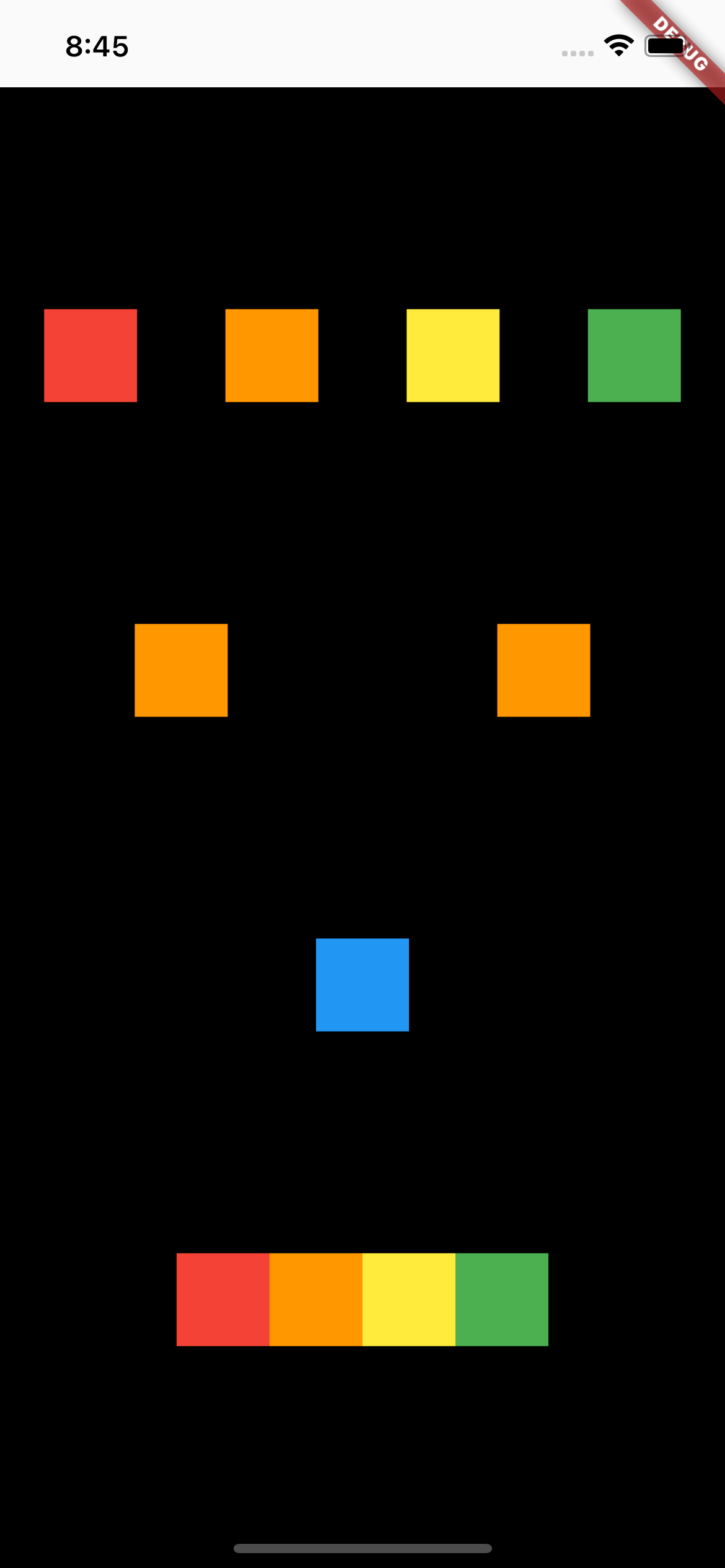
소스 코드
import 'package:flutter/material.dart';

class TestScreen extends StatelessWidget {
  const TestScreen({super.key});

  @override
  Widget build(BuildContext context) {
    return Scaffold(
      body: SafeArea(
        bottom: false,
        child: Container(
          color: Colors.black,
          height: MediaQuery.of(context).size.height,
          child: Column(
            mainAxisAlignment: MainAxisAlignment.spaceEvenly,
            children: [
              Row(
                mainAxisAlignment: MainAxisAlignment.spaceAround,
                children: [
                  Container(
                    color: Colors.red,
                    width: 50.0,
                    height: 50.0,
                  ),
                  Container(
                    color: Colors.orange,
                    width: 50.0,
                    height: 50.0,
                  ),
                  Container(
                    color: Colors.yellow,
                    width: 50.0,
                    height: 50.0,
                  ),
                  Container(
                    color: Colors.green,
                    width: 50.0,
                    height: 50.0,
                  ),
                ],
              ),
              Row(
                mainAxisAlignment: MainAxisAlignment.spaceAround,
                children: [
                  Container(
                    color: Colors.orange,
                    width: 50.0,
                    height: 50.0,
                  ),
                  Container(
                    color: Colors.orange,
                    width: 50.0,
                    height: 50.0,
                  ),
                ],
              ),
              Container(
                color: Colors.blue,
                width: 50.0,
                height: 50.0,
              ),
              Row(
                mainAxisAlignment: MainAxisAlignment.center,
                children: [
                  Container(
                    color: Colors.red,
                    width: 50.0,
                    height: 50.0,
                  ),
                  Container(
                    color: Colors.orange,
                    width: 50.0,
                    height: 50.0,
                  ),
                  Container(
                    color: Colors.yellow,
                    width: 50.0,
                    height: 50.0,
                  ),
                  Container(
                    color: Colors.green,
                    width: 50.0,
                    height: 50.0,
                  ),
                ],
              ),
            ],
          ),
        ),
      ),
    );
  }
}
참고 자료 (블로그)
'Flutter' 카테고리의 다른 글
| [Flutter] 프로젝트에 패키지(플러그인) 추가하는 방법 (0) | 2023.08.14 |
|---|---|
| [Flutter/Android Studio/Mac] 무선 디버깅 방법 (안드로이드) (0) | 2023.07.29 |

